 SPYGRAM
"Who unfollowed me?" and "how can I see someone's likes?" are among the most searched questions about Instagram. Both have an answer, just not the one miracle apps promise. Here is what Instagram actually allows, what has changed in recent years and where the risks are.
Does Instagram tell you when someone unfollows you?
No. Instagram sends no notification when someone stops following you, and the person who unfollows isn't notified either way. The only built-in clue is a drop in your follower count.
And that drop isn't always an unfollow. Your count also goes down when:
- an account is deactivated or deleted by its owner;
- Instagram removes fake or spam accounts;
- someone blocks you;
- you remove a follower yourself.
So a difference of one or two followers from one day to the next doesn't necessarily mean someone decided to stop following you.
How to check who unfollowed you, without an app
There are two simple ways, using only what Instagram already shows:
- Check one specific profile. Open the person's profile, tap "Following" and look for your @ in the list. If the profile is public, or if you follow them, the list is visible. If your name isn't there, they no longer follow you.
- Compare your follower list over time. Your own follower list is always visible to you. Comparing today's list with one from a few days ago shows who left.
The second method gets tedious with lots of followers, and that is where "unfollower" apps come in.
"Unfollower" apps: what to watch out for
Before using an app that promises to show who unfollowed you, check two things:
- Where you type your password. If the app asks for it in its own form, outside Instagram's official login page, your account can be stolen. Instagram's Help Center advises against sharing your password with apps you don't trust.
- What it promises. If the promise goes beyond what Instagram displays (visitors, someone else's likes, private profiles you don't follow), the app can't deliver it.
To be clear: Spygram does not show who unfollowed you. Instagram limits access to follower lists, and Spygram does not get around that limit.
Seeing someone's likes: what changed
Until 2019, the "Following" tab of the activity screen showed part of what the accounts you follow were liking and commenting on. Instagram removed it in October 2019. Since then, everyone only sees their own activity: your likes are in "Your activity", and other people's don't appear anywhere.
In May 2021, Meta also made it possible to hide like counts, both on your own posts and on posts in your feed.
What is still visible to anyone, on a post from a public profile:
- the like count, unless the author has hidden it;
- the comments, unless they've been limited or turned off.
What nobody but the owner can see: the list of everything a person has liked. No app can legitimately rebuild that list, because Instagram doesn't display it.
Seeing who a public profile started or stopped following
Here the answer is different. The "Following" list of a public profile is public: anyone can open it. Comparing that list from one day to the next shows which accounts the profile started following and which it stopped following.
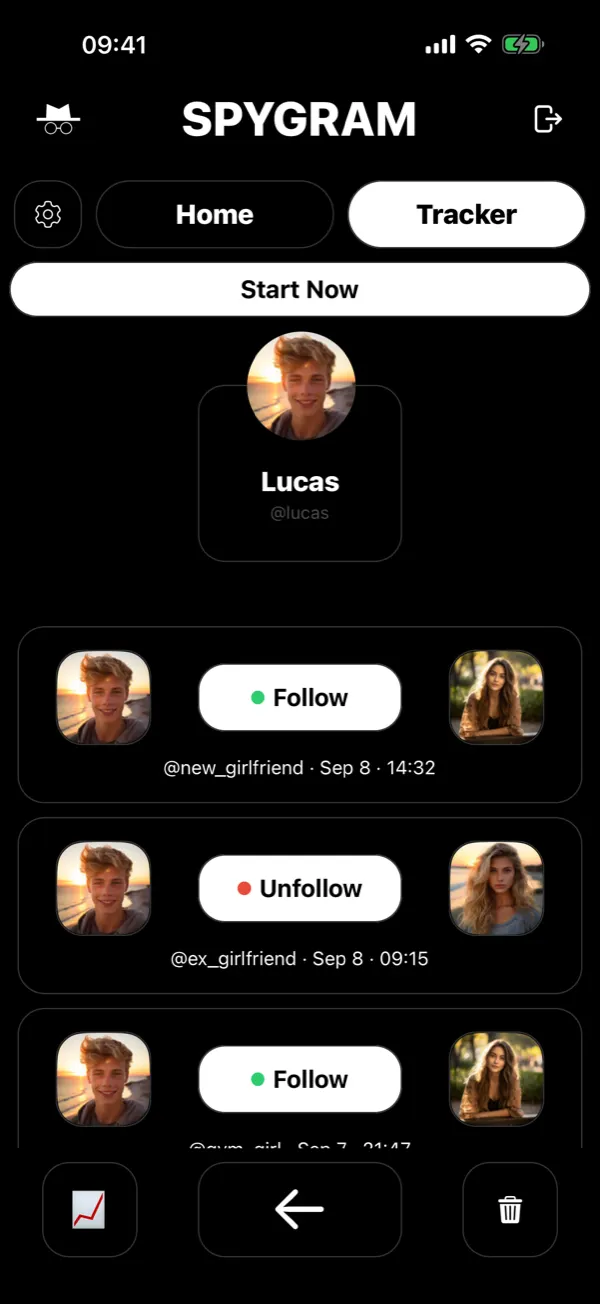
That is what Spygram does, using only what Instagram displays publicly, without asking for the password of the accounts you follow. It makes sense for keeping up with brands, shops and competitors: a new partnership, a supplier, the end of a collaboration. It also works with private profiles you already follow, but not with ones you don't, and the result depends on what each profile makes public.
Promises that can't be kept
Be wary of any service that promises:
- "See everything they liked": Instagram hasn't displayed that list since 2019.
- "Find out who visits your profile": Instagram has no such feature.
- "Works on any private profile": there is no legitimate way to see a private profile's content without being accepted.
- "Result unlocked after payment": once you've paid, the result is usually made up or never arrives.
What about the law?
Checking a profile's public list is an everyday thing. The problem starts when curiosity turns into watching one specific person. In Brazil, repeatedly following someone in a way that invades or disturbs their privacy can amount to the crime of stalking ("perseguição", Brazilian Penal Code, art. 147-A), and accessing someone else's account without authorization is a crime (art. 154-A). Many other countries also treat online stalking and harassment as offenses.
If you feel you have to keep checking what someone likes or follows, the best answer may not be on Instagram, but in an honest conversation.
What to do now
- To find out if someone still follows you, look at their "Following" list, if it's visible.
- To control what others see of you, use Instagram's options: hide like counts, limit comments, make your account private.
- To protect your account, only type your password on Instagram's official login page, and turn on two-factor authentication.
- To keep up with brands or competitors, look at the public list of accounts they follow, by hand or with a tool that only shows what is public.